
GameNotOver

Sudoku Online — Fill the Grid, No Two Ways About It

Every puzzle has exactly one right answer, and it's up to you to find it. Pick a difficulty, pencil in your candidates, and work the grid down to a clean solve — free, private, saved as you play.
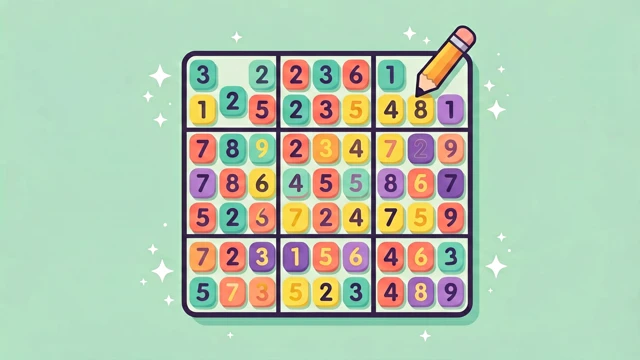
Sudoku Online — Fill the Grid, No Two Ways About It Try it Free →

Features

🧩

A Fresh Puzzle Every Time

A backtracking generator builds a brand-new board on demand and verifies it has exactly one valid solution — never a dead end, never a guess.

🎚️

Four Difficulties to Grow Into

Start on intro to learn the flow, work up through easy and medium, then take on hard once you're hunting for the one deduction that unlocks everything.

✏️

Pencil In Your Candidates

Flip on note mode and jot possible numbers into a neat 3×3 mini-grid inside any cell — think out loud on the board the way you would on paper.

🚦

Catch Mistakes Before They Snowball

Optional real-time checking flags a duplicate number in its row, column or box in red the instant you place it, before one slip wrecks the whole grid.

↩️

Undo, Redo, or Ask for a Hint

Step back through every move, redo it, or reveal the correct value when one cell has you completely stuck.

💾

Pick Up Exactly Where You Left Off

Your board, timer and difficulty save automatically, so a refresh or a closed tab never costs you a half-finished puzzle.

How to Use

1

Choose your difficulty

Pick intro, easy, medium or hard to generate a brand-new puzzle — every single one guaranteed to have exactly one valid solution.

2

Place numbers, or pencil in guesses

Tap a cell and enter a number with the pad or your keyboard. Not sure yet? Toggle notes and jot down candidates instead.

3

Work it down to a clean solve

Lean on conflict highlighting, hints and undo whenever you're stuck, then watch the grid fill in and your time lock in on completion.

Frequently Asked Questions

What is this Sudoku game exactly?
It's a free online Sudoku game that generates classic 9×9 puzzles across a 3×3 grid of boxes right in your browser. A backtracking algorithm builds each board and checks it has exactly one solution before showing it to you. You can pick from four difficulties — Intro, Easy, Medium and Hard — each starting with a different number of pre-filled clues.
Is it free to play?
Yes. All four difficulties, pencil notes, hints, undo/redo and the timer are completely free, with no account, install or payment required. Your board autosaves locally, so you can close the tab mid-puzzle and pick it back up later at no cost. Challenge Mode (three mistakes and you're out) is also free to toggle on or off.
Are the puzzles guaranteed solvable?
Yes. A backtracking generator fills the full 9×9 grid, removes numbers down to the target difficulty, and then verifies the remaining puzzle has one and only one valid solution before it's ever shown to you. If removing a number would create a second possible solution, that cell stays filled instead. This means you'll never hit a dead end that requires a blind guess.
Will I lose my progress if I refresh?
No. Your current board, notes, elapsed timer, mistake count, hint count and difficulty are all saved to local storage after every move. Refreshing the page or closing the tab and coming back later drops you right back into the same puzzle, still running. Starting a new difficulty is the only thing that clears the saved board.
Does it work on mobile and offline?
Yes. The 9×9 board scales to fit any screen with large touch targets for both the grid and the number pad, and the whole game — puzzle generator included — runs offline in your browser with no server round-trip. Arrow keys and the on-screen number pad both work for input, whichever you have handy.
How do pencil notes work?
Turn on note mode, then tap a number to add or remove it as a small candidate mark inside a 3×3 mini-grid drawn within that cell — exactly like scribbling in the margins of a paper puzzle. Notes are separate from your final answer, so entering a real number later automatically clears that cell's marks. You can flip note mode on and off as often as you like mid-solve.
How is my star rating and Challenge Mode scored?
When you finish a puzzle you earn 1 to 3 stars: 3 stars for zero mistakes and zero hints used, 2 stars if mistakes plus hints add up to 2 or fewer, and 1 star otherwise. Switch on Challenge Mode and you're playing with three hearts — your third mistake ends the run immediately instead of just being logged. Optional real-time conflict checking can flag a duplicate the moment you place it, which helps you avoid burning a life in Challenge Mode.

← Back to GameNotOver home