
GameNotOver

Solitaire Online — Klondike, Timed and Ready to Beat

Deal the cards, race the clock. Drag or tap your way through classic Klondike with cards that feel real to touch, then chase a spot on the global fastest-win board — free, no signup.
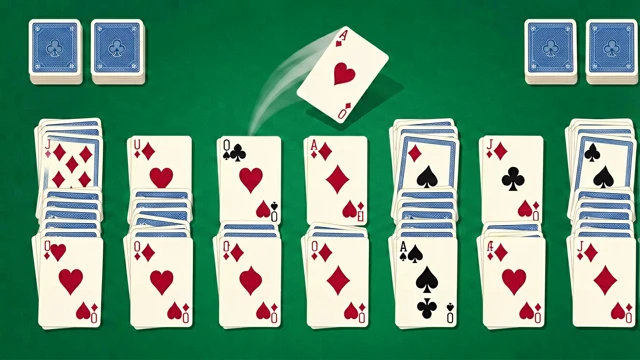
Solitaire Online — Klondike, Timed and Ready to Beat Try it Free →

Features

🃏

Real Klondike, No Surprises

Seven tableau columns, four foundations and a stock pile — exactly the solitaire you grew up shuffling, just with a timer running.

👆

Drag It, or Just Tap It

Drag a card with your finger or mouse and drop it wherever, or tap once and watch it fly straight to the best legal spot on its own.

The Deck Sweeps Itself Home

Once every card is face up, one tap sends the whole deck flying into the foundations in a satisfying cascade — the finishing move you're always chasing.

↩️

Undo Without Limit

Take back as many moves as you want. A misjudged tap is never the reason a game ends.

🏆

Race for a Spot on the Board

Clear a deal and your finishing time goes straight onto the global fastest-win leaderboard, ranked quickest first.

💾

Walk Away, Pick Up Later

Your deal, timer and move count save automatically, so closing the tab mid-game costs you nothing — come back and the clock is still yours to beat.

How to Use

1

Cards are already dealt

Open the page and the tableau is waiting for you — no install, no sign-up, no settings screen standing between you and playing.

2

Stack down, alternating colors

Build columns in descending order, alternating red and black. Only a King — or a run starting with one — can drop into an empty column.

3

Work the stock pile

Tap the face-down pile to flip a fresh card into play. Run out and tap the empty slot to recycle the waste pile for another pass.

4

Rush your Aces home

Get all four Aces up to the foundations first, then build each suit upward. Tap any eligible card and it slides home by itself.

5

Stop the clock, submit the time

Fill all four foundations to finish the deal, then send your time straight to the global speed leaderboard and see how you rank.

Frequently Asked Questions

Is this solitaire game really free to play?
Yes. Every game on GameNotOver is completely free, with no paywalls, no registration and no download required — the full 52-card Klondike deal, unlimited undo and the global speed leaderboard are all available from your first visit.
Which solitaire variant am I playing?
It's classic Klondike solitaire (also called Patience): 7 tableau columns, 4 foundation piles, and a stock pile, dealt draw-one by default. Toggle to draw-three from the pill switch in the menu for a noticeably tougher round — your choice is remembered for the next new game.
Does it play well on phones and tablets?
Yes. Card width automatically scales to fit your screen so all 7 columns always fit without scrolling, touch targets are sized for fingers, and every card position is redrawn instantly with a CSS transition so drags never fight the page. A drag only kicks in once your finger moves more than 6 pixels; anything shorter counts as a single tap that auto-moves the card to the best legal spot.
Will I lose my game if I close the tab?
No. Your current deal, elapsed timer and move count are saved to your browser's local storage after every move, so reopening the page drops you right back into the exact same game. Starting a new game or picking a different draw mode clears the saved deal.
Is my data sent anywhere?
The game itself — dealing, dragging, auto-complete — runs entirely in your browser. Only the nickname and finishing time you actively choose to submit get sent to the shared global leaderboard, ranked fastest-first.
What if I get dealt a hand that can't be won?
Some Klondike deals genuinely can't be solved. If you cycle through the stock pile twice (2 full recycles) without making any legal move, a gentle "try a new deal?" prompt appears — feel free to dismiss it and keep grinding away at the same deal instead, it's never forced.
How does the automatic collect work?
The moment every card on the tableau is face up — no hidden cards left — an auto-complete button appears. Tap it and the whole deck flies into the four foundations on its own, one card roughly every 110 milliseconds, riding the same smooth transition animation as a manual move.

← Back to GameNotOver home