
GameNotOver

Draw a Perfect Circle — How Round Can You Get?

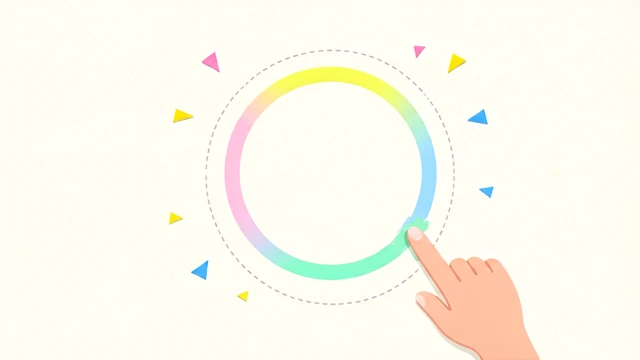
One finger, one blank sheet of virtual paper, zero rulers. Trace a circle by hand and watch a live 0–100 roundness score judge every wobble as you draw — free, private, weirdly addictive.
Draw a Perfect Circle — How Round Can You Get? Try it Free →

Features

Your Wobble, Scored Live

As your stroke moves, a 0–100 roundness score updates in real time based on how steady the radius stays around its center — no waiting to find out how you did.

🎯

No Cheating With Half a Circle

Short arcs and lazy half-loops get caught — the game checks you actually swept close to a full 360° before it hands out a high score.

A Stroke That Reacts to You

The glowing line shifts color as you draw — red when you're off, sliding toward gold-green the closer you get to a true circle.

📐

See Exactly Where You Drifted

The moment you close the loop, a dashed ideal circle overlays your drawing so you can spot precisely where your hand wandered.

🎉

Confetti at 90+

Cross 90 and the screen erupts in confetti — then it's straight back to the blank page to chase an even higher score.

🔒

100% Private & Offline

Everything runs in your browser. No uploads, no signup, and your best score is saved locally on your own device.

How to Use

1

Press down anywhere

Press on the blank canvas with your mouse or finger — an anchor dot marks where your circle begins.

2

Sweep it around in one motion

Move in a smooth circular arc without lifting. Watch your score and stroke color update live as you go — that's the real-time feedback telling you how you're doing.

3

Come back to where you started

Bring the line back near your starting dot and the round locks in automatically — no button to press, no menu to close.

4

Study the overlay, then go again

Compare your line against the dashed ideal circle to see exactly where it drifted, then tap Try Again and chase a higher score.

Frequently Asked Questions

How does the game score my circle?
It finds the center of your stroke, then measures the coefficient of variation — how much the distance from every sampled point to that center wobbles compared to the average radius. That number feeds an exponential decay curve to a 0–100 score, so a perfectly steady radius scores 100 and every bit of wobble drags it down. It also divides the circle into 36 ten-degree slices and requires your stroke to have swept through at least 85% of them, so a partial arc can't sneak in a high score.
Is it free to play?
Yes, completely free with no signup, paywalls, or limits — draw as many circles as you like, whenever you like. Your best score is remembered locally so you can chase a new personal record every time you come back.
Does it work on mobile?
Yes. It uses Pointer Events, so drawing feels identical with a mouse, trackpad, or your finger on a touchscreen, and the page is locked so it never scrolls out from under you mid-stroke.
Is my drawing uploaded anywhere?
No. The whole game runs locally in your browser, your best score is stored on your device only, and even the finished-artwork share button exports the PNG straight from your canvas — nothing is ever uploaded to a server.
Why did I get a low or invalid score?
The game needs at least 40 sampled points and roughly 85% coverage of the full 360° sweep before it trusts a score — a short arc, a half-loop, or a tiny circle under about 8 pixels of radius gets flagged as invalid instead of scored. Bring your stroke back within 14 pixels of your starting point to close the loop and lock in a real score.
What happens when I score really high?
Cross 90 points and confetti erupts across the screen along with a congratulatory pop-up; the dashed ideal circle overlay also appears so you can see exactly how close your freehand line matched a true circle. If it's a new personal best, a submit button appears so you can add your score and nickname to the global leaderboard.

← Back to GameNotOver home