
Mini World — Build a Tiny Block World in Your Browser
Spin the view, tap to place a block, tap to break one. A whole voxel island is already waiting for you — no account, no goals, nothing to lose.
 Try it Free →
Features
A Clean Meadow to Start On
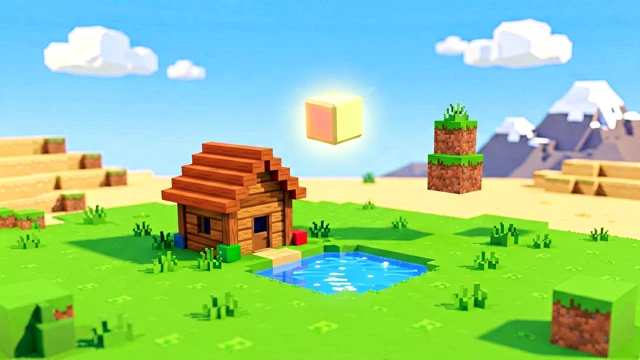
You open onto a wide, flat meadow with exactly two things on it: a small wooden house and a small pond. Nothing else — the empty space is the point. Walk out far enough and the ground starts to roll again into deserts, forests and snowy peaks, all generated from noise and endless in every direction.
Two Taps Is the Whole Game
Build mode drops a block on the face you tapped. Switch to the pickaxe and the same tap knocks a block out. Dragging always turns the camera, so you never place a block by accident.
Twelve Blocks, Real Colours
Grass, dirt, stone, brick, wood, leaves, water, snow, sand, gold, lava and glass. The palette shows the actual material colour, water and glass are see-through, and gold and lava glow in the dark.
Pour Water, Pour Lava
The bucket adds the missing element. Water runs downhill, fills the hole you dug and settles into a pond of its own. Lava does the same and glows at night. Pour water onto lava and the two turn to stone right where they meet. The broom empties a whole pool again in one tap.
Walk Into Your Own Build
One button drops you inside in first person. WASD or a thumb stick to move, space to jump, and a crosshair that places or breaks whatever you are looking at.
Slide From Noon to Midnight
One slider moves the sun across the sky. The light, the sky gradient and the fog shift from bright daylight through warm dusk into deep blue night, where the glowing blocks take over.
Take the Picture Home
The camera button hides every button, grabs a clean frame of the 3D world and saves it as a PNG. Your world itself is kept in the browser, so it is still there next time.
Stack as High as You Like
There is no ceiling in the way: keep placing blocks upward and the world keeps generating room for them, and the camera rises with your tower instead of leaving it off-screen. Drag with two fingers (or the right mouse button) to lift the view even further.
How to Use
Look Around
Drag with one finger or the left mouse button to orbit the world. Pinch or scroll to zoom, and use two fingers or the right button to slide the view sideways.
Pick a Block and Tap
Choose a colour from the strip at the bottom, then tap any surface. The new block appears on the face you touched and pops into place.
Switch to the Pickaxe to Remove
Tap the big round button in the corner to swap from 🧱 to ⛏️. Now a tap knocks a block out in a little burst of coloured pieces. The undo arrow takes back your last fifty changes.
Walk In and Take a Photo
Press 🚶 to explore your build from the inside, drag the sun slider for the light you like, then press 📷 to save a clean picture of it.