GameNotOver

Minesweeper Online — Tap, Flag, Don't Boom

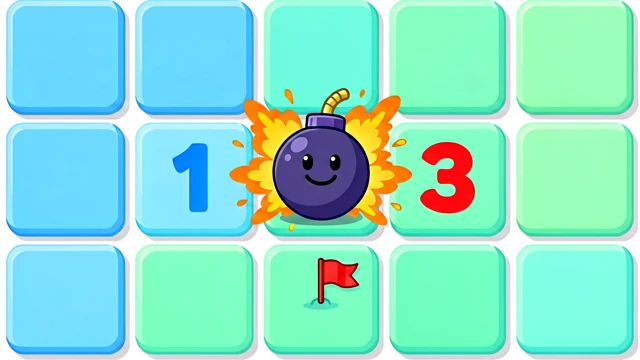
One wrong tile and it's a bang. Clear every safe square, flag every mine, and race the clock on chunky embossed tiles with crisp click sounds — free, no signup, no paywalls.
Minesweeper Online — Tap, Flag, Don't Boom Try it Free →

Features

🌱

Your First Tap Never Kills You

Mines slide into place only after you tap, dodging that tile and its neighbours — so the board always cracks open with a nice clear patch to work from.

🎚️

Warm Up, Then Go Pro

Starter is a relaxed 9x9 with 10 mines for reading the numbers at your own pace. Pro throws 40 mines on a 16x16 board — 99 on wide screens — for real tension.

🚩

Flag It Before It Flags You

Right-click on desktop or hold a tile for 350ms on touch to plant a flag, mark a question, or clear it again. The mine counter ticks down as you go.

Chord Like a Speedrunner

Flagged the right neighbours around a number? Double-tap it and every remaining tile pops open at once — the move that separates casual clicks from real speed.

🔊

Every Click Has Weight

A crisp click per tile, a cascading rattle when a whole region opens, and a proper explosion the moment you hit a mine — all synthesised live, no audio files.

🏆

Chase the Fastest Sweep

Clear a Pro board and your time goes straight onto the global speed leaderboard. Starter stays low-pressure with just a personal best, no strings attached.

📱

Fills Your Whole Screen

Tile size recalculates to your viewport so the entire board sits on one screen, portrait or landscape — nothing to scroll mid-sweep.

🔒

Free and Private

Runs entirely in your browser. No account, no install, no paywalls, and your best times stay on your own device.

How to Use

1

Pick your board

Starter is a gentle 9x9 warm-up. Pro is the real challenge — a bigger board that counts toward the global speed leaderboard.

2

Tap to crack it open

Your first tap is always safe and clears a whole patch. Every number tells you exactly how many mines are hiding next to that tile.

3

Flag what you're sure of

Long-press on touch or right-click on desktop to plant a flag on a suspected mine. Watch the mine counter shrink as you mark them.

4

Chord to save seconds

Once a number has exactly that many flags around it, double-tap it to blast open every remaining neighbour in a single move.

5

Clear it and post your time

Open every tile that isn't a mine to win. On Pro, submit your time and see how you stack up against sweepers worldwide.

Frequently Asked Questions

Is this Minesweeper really free to play?
Yes. Both Starter (9×9, 10 mines) and Pro (16×16, 40 mines, or 30×16 with 99 mines on wide screens) are completely free with no account, no download and no paywalls. Every click, flag and explosion sound is synthesized live with the Web Audio API, so there's not even an audio file to download — just open the page and start clearing tiles.
Can I lose on the very first click?
No. Mines aren't placed on the board until after your first tap, and placement always avoids that tile plus its 8 surrounding neighbours. That means your opening click is mathematically guaranteed to trigger a flood-fill and open up a whole patch of safe tiles, whether you're on the 9×9 Starter board or the 40-mine Pro board.
How do I flag a mine on my phone?
Press and hold a tile for about 350 milliseconds — an orange ring fills in as you hold to show your progress — and the tile cycles through flag 🚩, question mark ❓, then back to blank. On desktop you can instead just right-click to plant a flag instantly.
What's chording and why does it matter?
Chording opens every remaining covered neighbour of a revealed number in one move, but only once you've flagged exactly that many mines around it. Double-tap the number within 320 milliseconds, or on desktop hold both mouse buttons at once — it's the single move that separates a leisurely clear from a leaderboard-worthy sweep.
Do I have to flag every mine to win?
No. You win the instant every tile that isn't a mine has been revealed, whether or not you've flagged a single mine — flags are purely a memory aid, not a win condition.
How does the leaderboard work?
Only Pro boards (16×16/40 mines, or 30×16/99 mines on wide screens) count toward the global leaderboard: clear one and a submit button unlocks, and entries are ranked fastest solve time first, down to a tenth of a second. Starter mode stays low-pressure with just a personal best saved locally per mode, no submission involved.
Is my data sent anywhere?
Gameplay runs entirely in your browser and your personal best times for each mode are stored locally in localStorage. Nothing leaves your device unless you actively choose to submit a Pro-mode time and nickname to the shared leaderboard.

← Back to GameNotOver home