
GameNotOver

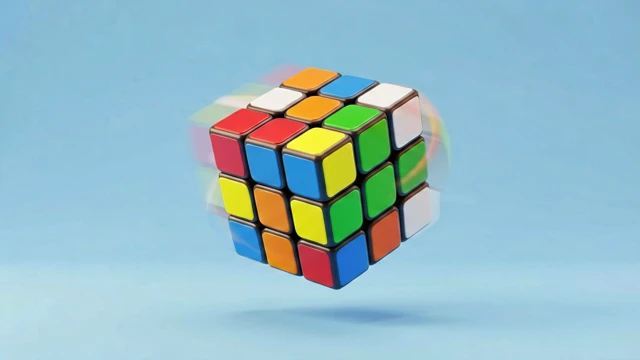
Magic Cube 3D — Solve a Rubik's Cube With Your Fingers

Grab any face and drag — the layer spins under your finger exactly like a real cube, easing to a snap the moment you let go. Scramble it in one tap, race the clock to get all six faces solid again, and post your fastest solve on the world speedcube leaderboard.
Magic Cube 3D — Solve a Rubik's Cube With Your Fingers Try it Free →

Features

🧊

A Cube That Feels Real

A full 3×3×3 cube rendered in WebGL sits front and center — orbit it freely and it responds like a physical cube in your hands, not a menu of arrows.

🖱️

Drag a Face, Turn a Layer

Grab any sticker and drag — that layer follows your finger in real time and snaps cleanly to the nearest 90° the moment you let go.

⏱️

Millisecond Bragging Rights

Your first move after scrambling starts the clock, and it freezes the instant all six faces turn solid — no room to argue with your time.

🔀

Scramble and Go

One tap shuffles the cube into a fair, fresh challenge — perfect for one more attempt right after your last.

💡

Stuck? There's a Way Out

A built-in hint replays your moves in reverse until the cube is solved again — it stops your timer so you can learn the cube without fear of a blank state.

🏆

Global Speedcube Rankings

Submit your solve time and moves after a real (non-hinted) solve and see exactly where you land against speedcubers worldwide.

How to Use

1

Scramble the cube

Tap Scramble to shuffle it into a random, solvable mess — the timer stays off until you make your first move.

2

Drag a face to turn it

Grab any sticker and drag in the direction you want that layer to spin; drag empty space instead to orbit the camera around the cube.

3

Chase all six solid faces

Keep turning, layer by layer, until every face shows a single color. The clock stops the moment you solve it.

4

Use undo or the hint if you're stuck

Take back a move with Undo, or tap the hint to unwind your whole scramble back to solved — it just won't count toward the speed leaderboard.

5

Submit your time

Enter a nickname to add your solve time and move count to the global speedcube leaderboard.

Frequently Asked Questions

Is the magic cube game free?
Yes, completely free with no sign-up, no download and no paywalls — it runs entirely in your browser using WebGL (three.js). The full 3×3×3 cube, all 26 movable pieces, undo, scramble and the global speed leaderboard are all unlocked from your very first visit.
Does it work on mobile?
Yes. Drag a colored sticker with one finger to turn that layer, and it snaps cleanly to the nearest 90° the moment you let go; drag empty space instead to orbit the camera and view the cube from any angle. Every button — scramble, undo, reset, hint — is sized at least 44×44px so it's easy to hit with a fingertip.
When does the timer start and stop?
The timer starts the instant you make your first move after scrambling, not the moment you tap "scramble." It stops automatically the moment all 6 faces show a single solid color, and your time is recorded down to the hundredth of a second (mm:ss.SS) so even a photo-finish gets ranked fairly.
What happens if I use the hint?
The hint replays your entire move history — every scramble step and every move you made — one step backward, so tapping it repeatedly always walks the cube back to fully solved rather than doing anything random. The very first tap stops your clock and flags the run as hint-assisted, so it won't count toward the global speed leaderboard, though you still get a completion celebration.
Is my progress saved?
Yes. While a scramble is in progress, your complete move history and elapsed time are saved to your browser's local storage and automatically replayed the next time you open the page, so closing the tab mid-solve never costs you the attempt.
How does the leaderboard work?
After a genuine solve — no hint used — you can submit your time together with a nickname. Entries are ranked fastest-first by solve time down to the hundredth of a second, so shaving off even a fraction of a second can move you up the global rankings.
What is focus mode?
Tapping the 🧘 icon in the top-right switches your browser into fullscreen and hides the timer, move counter and every button except a single exit ✕, leaving nothing but the cube on screen for distraction-free solving. It automatically exits fullscreen the instant you solve the cube so the results screen can display and be tapped normally.

← Back to GameNotOver home