
Endless Driver — 3D Apocalypse Racing & Zombie Survival Game
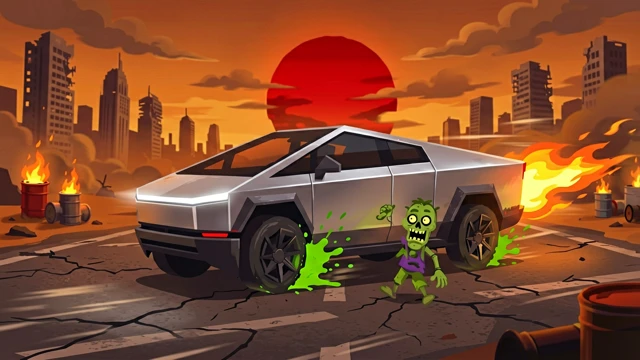
Race through a blood-red wasteland, run over zombies, grab nitro boosts, and swerve off-road to escape obstacles. One crash ends it all — drive further, score higher, chase the leaderboard.
 Try it Free →
Features
Run Over Zombies for Combos
Zombies shuffle across the wasteland in your path — hit them to build a hit streak and trigger auto-acceleration surges that boost your speed instantly.
Grab Nitro Canisters
Glowing nitro tanks float in the road ahead — snag one to supercharge your car's top speed and blast through obstacles at maximum velocity.
Drive On-Road or Off-Road
Stay on the paved strip for stability, or veer off into the wasteland to weave between trees and rocks — risk vs. speed is your choice.
One Crash, Game Over
Smash into ruins, other vehicles, or obstacles and your car flips and explodes in slow-motion — each run ends on impact, so every second counts.
Cockpit & Chase Cameras
Switch between first-person driver's-seat view with a working steering wheel, or stay in third-person chase cam to see the action unfold around you.
Three Themes in One Drive
The endless road cycles through a blood-soaked ruined city, a blackened death forest, and a scorched wasteland peppered with abandoned vehicles and ash storms.
How to Use
Start the engine
Tap Start Game to begin driving through the apocalyptic wasteland — your car launches forward at medium speed, and obstacles begin spawning ahead.
Steer left and right
Use ← → arrow keys, AD keys, or tilt your phone side-to-side to steer the car left and right, dodging obstacles, zombies, and debris.
Hit zombies and nitro tanks
Drive directly over shambling zombies to add points and trigger speed bursts — grab glowing nitro canisters to surge past your speed limit momentarily.
Navigate tight gaps and off-road shortcuts
Narrow down on obstacles to weave through tight gaps, or swerve into the wasteland edges to find shorter routes around major ruins — but watch for hidden hazards.
Drive until you crash
Steer smooth and fast until your car collides with an obstacle — impact triggers a slow-motion crash sequence before your score is recorded.